
How to Print Passport Size Photos at Home on 4x6 Paper, at Exact Scale
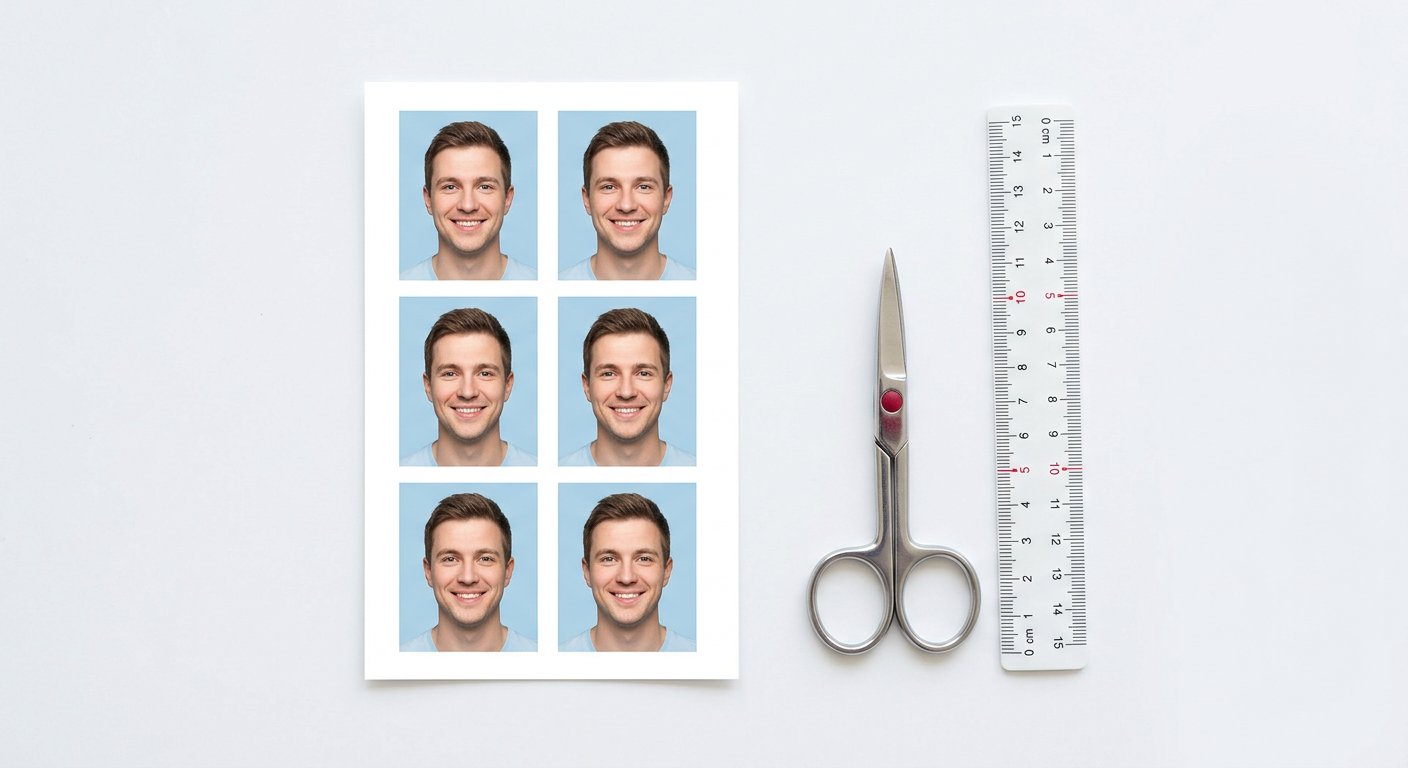
A studio sheet of passport photos is just a 4x6 inch print with six identical copies arranged in a grid. Nothing about it needs a studio: the same sheet comes out of a home printer, provided one condition holds. The print must be at exact physical scale, because a 3.5 x 4.5 cm photo that prints at 3.2 cm is a rejected photo.
This guide gives the pixel maths for the sheet, the layout that fits six copies with cut margins, the single printer setting that destroys scale, and a thirty-second ruler check that proves the result.
Why 4x6 inch paper, and what 300 DPI means for it
Photo paper in India is sold as 4R, which is 4 x 6 inches, or 10.16 x 15.24 cm. At the print standard of 300 DPI the sheet holds 1200 x 1800 pixels. Every copy you place on it must carry its own pixels at 300 DPI too, so a 3.5 x 4.5 cm photo needs 413 x 531 pixels, and a 2 x 2 inch passport copy needs 600 x 600.
- 4R sheet at 300 DPI = 1200 x 1800 pixels of usable canvas.
- One 3.5 x 4.5 cm copy = 413 x 531 pixels at 300 DPI.
- One 2 x 2 inch copy = 600 x 600 pixels at 300 DPI.
If your copies carry fewer pixels than these numbers, the print will look soft no matter how good the paper is. Resize first, print second.
The layout that fits six copies with room to cut
Stand the 4R sheet portrait and place 3.5 x 4.5 cm copies in two columns of three. Two columns need 7 cm plus a gap, and the sheet is 10.16 cm wide, so side margins of about 1.5 cm remain. Three rows need 13.5 cm plus gaps, and the sheet is 15.24 cm tall, so top and bottom margins of about 0.7 cm remain. Add a 2 mm white gutter between copies and the scissors get a clean lane.
- Six copies of 3.5 x 4.5 cm fit a 4R sheet in a 2 x 3 grid with cut lanes.
- Four copies of 2 x 2 inch fit the same sheet in a 2 x 2 grid with wider lanes.
- Mixing sizes on one sheet wastes paper and invites cropping mistakes.
The printer setting that ruins scale
Every home printer dialog offers a scaling choice, and the default is usually "Fit to page" or "Scale to media". That choice resizes your carefully computed sheet by a few percent, and a few percent is exactly the difference between an accepted and a rejected photo. Set scaling to 100 percent, or "Actual size", and turn off any borderless mode that stretches the canvas to the paper edge.
Also check the paper size itself: a sheet loaded as A4 while the file says 4R will be rescaled silently. Match the dialog to the physical pack.
Paper, ink and the finish portals expect
- Glossy or matte photo paper of 200 GSM or above | ordinary copier paper soaks ink and shifts skin tone.
- Plain paper is acceptable only for internal forms, never for submissions that state photo paper.
- Let the sheet dry flat for a minute before cutting | warm ink smears along the scissor lane.
The thirty-second ruler check
After cutting one copy, measure the width with a ruler against a plain background. It must read 3.5 cm for the standard Indian size, or 5.1 cm for the square passport variant. Then hold the copy next to a printed centimetre scale from any ruler image: if your print and the scale disagree, the scaling setting is still wrong somewhere in the chain.
A second check needs no ruler: the face height in the copy should match the specification you resized to, typically 70 to 80 percent of the frame for Indian specs. A face that looks cramped or tiny means the crop, not the print, is off.
Where the browser tool fits in
The pipeline that keeps all of this honest is: crop to the spec ratio, resize to the spec pixels at 300 DPI, arrange copies on a 4R canvas, export one PNG or JPG, print at 100 percent. The first three steps are what a passport photo tool does in the browser, and doing them there means the file that reaches your printer already carries exact pixels, so the printer has nothing left to interpret.
Pro tip
- Print one test sheet on ordinary paper first and measure it, because a rupee of copier paper is cheaper than a ruined glossy sheet and a wasted afternoon.
Try it free: Passport Photo Maker | crop, resize and arrange to spec in your browser, then print the sheet at 100 percent.
Frequently asked questions
Can I print on A4 instead of 4R?
My print came out smaller than 3.5 cm, why?
Does borderless printing help?
How many copies should I print at once?
Is a home print accepted by Indian portals?
Do it now, in your browser
The Passport Photo Maker runs entirely on your device | the file never touches a server.
Open Passport Photo Maker →We build and test free, in-browser PDF and image tools. Every guide is written from hands-on testing with real files, and updated whenever browsers or formats change.